Quick Navigation
Use Case Overview
CSV uploads via Catalog Items are common for bulk onboarding and integrations. Instead of manually parsing CSV files, this solution automates the entire process.
When a Catalog Item is submitted with a CSV attachment, a Flow is triggered that processes the file and returns a structured JSON object.
High-Level Flow Design
- Catalog Item submitted with CSV attachment
- Flow triggers on RITM creation
- Attachment copied to a Data Source
- Custom Action runs Import Set
- Staged data converted to JSON
- Attachment deleted from Data Source
Custom Action – Inputs & Outputs
Inputs
RITM Sys ID – Reference to Requested Item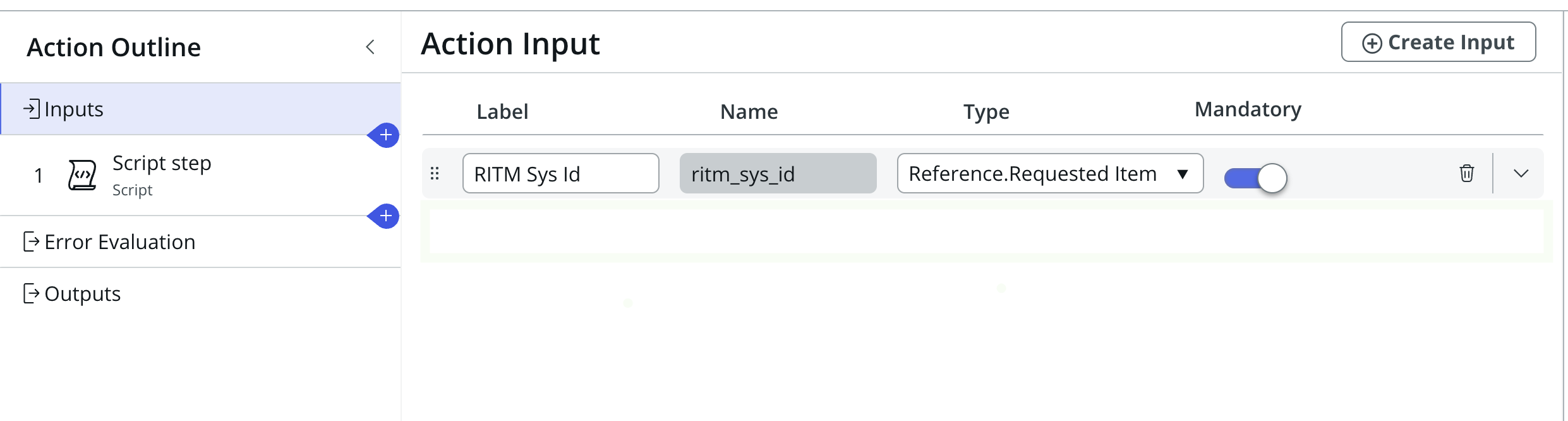
Script Step Input Variables
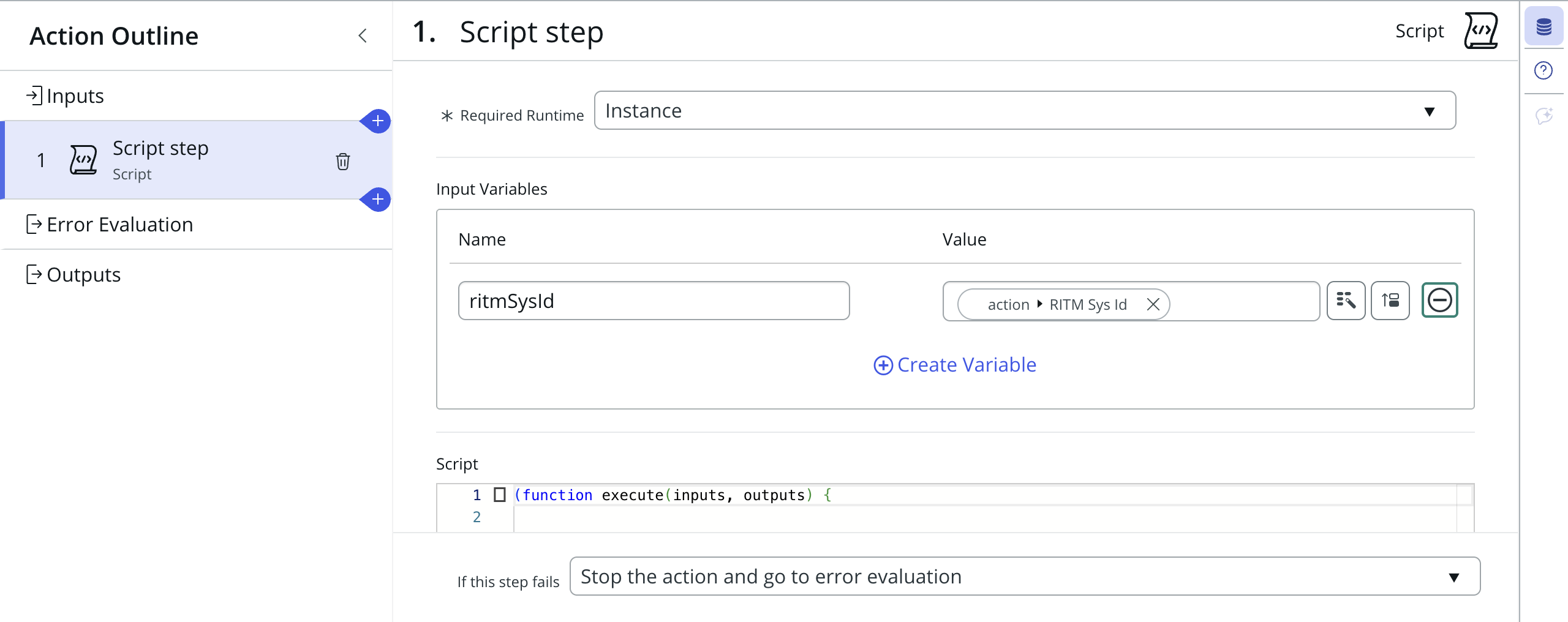
Script Step Script
(function execute(inputs, outputs) {

    var ritmSysId = inputs.ritmSysId;
    var jsonResultList = [];

    var dataSourceSysId = gs.getProperty('kap.read.csv.data.source.sys.id');

    var att = new GlideSysAttachment();
    var attachment = att.getAttachments('sys_data_source', dataSourceSysId);

    if (!attachment || !attachment.hasNext()) {
        outputs.json_data = JSON.stringify({ "directAppsUserList": [] });
        return;
    }

    var grDataSource = new GlideRecord('sys_data_source');
    if (grDataSource.get(dataSourceSysId)) {

        var loader = new GlideImportSetLoader();
        var importSetRec = loader.getImportSetGr(grDataSource);

        loader.loadImportSetTable(importSetRec, grDataSource);
        importSetRec.state = "loaded";
        importSetRec.update();

        var importTableName = importSetRec.getValue("table_name");

        var rowGR = new GlideRecord(importTableName);
        rowGR.addQuery("sys_import_set", importSetRec.getUniqueValue());
        rowGR.query();

        while (rowGR.next()) {

            rowGR.u_ritm = ritmSysId;
            rowGR.update();

            jsonResultList.push({
                "directAppsUserEmail": rowGR.getValue('u_email'),
                "directAppsUserRetailerName": rowGR.getValue('u_retailer_name')
                    .replaceAll(' ', '')
                    .toLowerCase(),
                "directAppsUserSupplierNumber": rowGR.getValue('u_supplier_number')
            });
        }
    }

    outputs.json_data = JSON.stringify({
        "directAppsUserList": jsonResultList
    });

})(inputs, outputs);
Script Step Output Variables
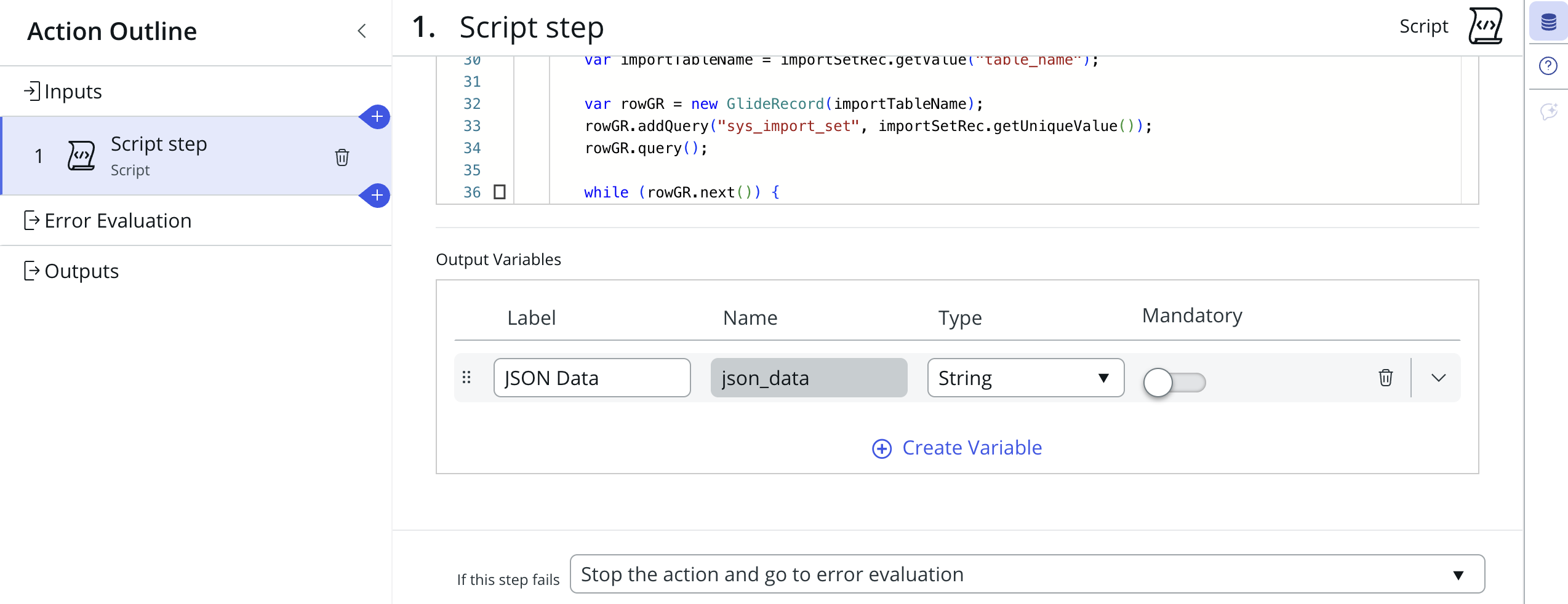
- JSON Data – Final converted JSON object
Sample JSON Output
{
  "directAppsUserList": [
    {
      "directAppsUserEmail": "user@example.com",
      "directAppsUserRetailerName": "retailername",
      "directAppsUserSupplierNumber": "SUP123"
    }
  ],
}